5 Voucher Redemption Videos You Didn't Know You Needed (Until Now)
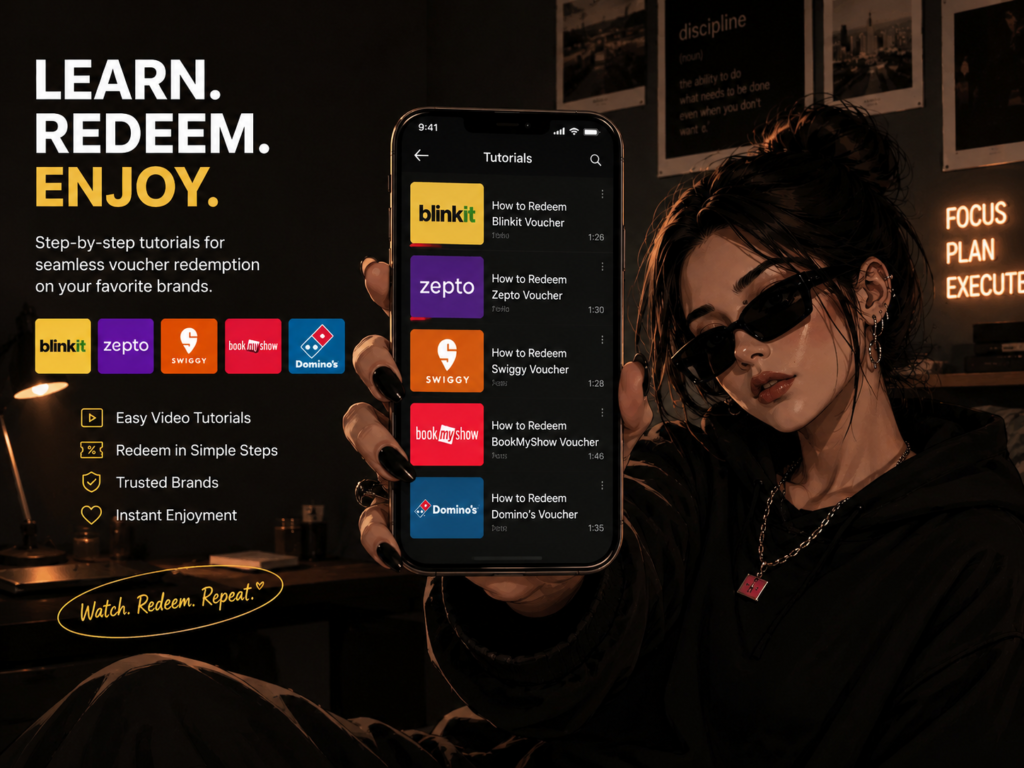
Let’s set the scene: you bought a discounted voucher on KStore, you felt like a certified genius for a solid ten minutes, and now the code is just… sitting there. In your inbox. Judging you. Not because redeeming it is hard, but because reading a wall of text instructions at 11pm when you just want your Domino’s is not it.
So instead of making you read another “step 1, step 2, step 3” essay, KStore did the actual useful thing filmed five short, no-nonsense videos showing exactly how to redeem your voucher on five apps you already have open on your phone right now: Domino’s, Swiggy, Blinkit, Zepto, and BookMyShow. No jargon, no ten-minute rambling intros, just “here’s the button, here’s the code box, here’s your order confirmed.”
Basically, we did the boring part so you don’t have to. Here’s what’s waiting for you, brand by brand and yes, the links are right there, no digging required.
And look, we get it “watch a video about redeeming a voucher” sounds like the most boring possible use of ninety seconds of your life. But it’s the same energy as watching a two-minute recipe video instead of reading a recipe blog with fourteen paragraphs of backstory before the actual ingredients list shows up. Sometimes you just want the information, fast, with none of the filler. That’s the entire vibe of this series.
Okay But Why Video Instead of Just... Words?
Great question, glad we’re pretending you asked. Here’s the thing about redemption instructions: they sound simple in text, but the second you’re actually holding your phone, staring at an app that decided to redesign its checkout page since the last time you looked, “tap the gift card icon” stops meaning anything. Where’s the icon? What does it look like? Is it hiding under “more options” again?
A video skips all of that. You see the exact screen, the exact tap, the exact “yep, discount applied” moment in real time, on the actual app, not a screenshot from six app updates ago. It’s the difference between someone describing a dance move and someone just showing you the dance move. One of those actually works.
1. Domino's Because Pizza Shouldn't Require a Tutorial, But Here We Are
Nobody wants to be mid-order, staring at a cart, wondering why the voucher code box is hiding from you like it’s playing hard to get. Pizza is an emotional decision made under time pressure usually somewhere between “I should cook” and “I am not cooking” and the last thing that moment needs is a broken checkout flow standing between you and a large pepperoni.
This video walks you through exactly where the code box lives on the Domino’s app, how to apply it before you hit pay, and what the confirmation actually looks like so you’re not left refreshing the order summary in mild panic. If you’ve ever abandoned a cart because the voucher code “wasn’t working” (it was working, you just didn’t scroll far enough to see the field), this one’s for you.
▶ Watch here: [https://youtu.be/yqjxZk6SRLA?si=_xO60ra80r9mdjF5]
2. Swiggy For the Serial 2 A.M. Orderer
We all have that one friend whose Swiggy order history could be published as an autobiography, complete with plot twists like “ordered dessert before dinner” and “three separate orders in one evening because delivery fees stopped being a deterrent months ago.” If that’s you no judgment, genuinely, we respect the commitment this video is basically a public service announcement.
It shows you exactly where to apply your KStore voucher on Swiggy, whether you’re checking out from the food app or browsing Instamart, so your next “I’m not cooking tonight” order comes with an actual discount attached instead of just vibes and mild regret. Two minutes, zero confusion, maximum food-ordering efficiency.
▶ Watch here: [https://youtu.be/WW4XQpKduu4?si=rDgysuRtsdpoL57u]
3. Blinkit Groceries in 10 Minutes, Redemption in Even Less
Blinkit already moves at main-character speed you open the app, you blink, your order’s arriving so it only makes sense that redeeming your voucher should keep up instead of turning your quick grocery run into a whole ordeal. This video breaks down exactly how to add your KStore voucher to your Blinkit order without slowing down your very serious 10-minute delivery window.
It also covers the small but annoying detail everyone forgets: applying the code before you finalize payment, not after, which is the difference between a smooth checkout and an oddly stressful one over eggs and instant noodles.
▶ Watch here: [https://youtu.be/4HWQNM8KGdU?si=UU1SFqAMZ1l6Pai_]
4. Zepto Because You Refreshed the App Three Times Already
Zepto users move fast and have approximately zero patience for anything that isn’t instant, which, fair, that’s kind of the entire brand promise. This video respects that energy with a quick, clean walkthrough of exactly where your voucher code goes and how to confirm it’s actually applied no vague “check your total” advice, an actual visual of the discount landing where it’s supposed to.
If you’ve ever hit checkout, seen a price that looked suspiciously full-price, and spiraled into “wait did the code even work,” this fixes that exact moment of doubt before it happens.
▶ Watch here: [https://youtu.be/tiXPuWucAeo?si=rlSW7XM-5cbvdQyh]
5. BookMyShow For When the Movie Plans Are Locked In
Nothing kills the “let’s watch a movie tonight” energy like fumbling with a voucher code while your friends are already picking seats without you, silently judging how long you’re taking, group chat filling up with “bro hurry” messages. This video shows you exactly how to redeem your KStore voucher on BookMyShow before booking, so you’re not the one holding up the plan while everyone waits on you to figure out a promo code field mid-seat-selection.
It also covers what to do if the seats you want sell out while you’re mid-redemption, because timing matters when good seats are on the line and Row F center is not going to wait around for you.
▶ Watch here: [https://youtu.be/4HWQNM8KGdU?si=UU1SFqAMZ1l6Pai_]
Quick Recap: Why You Even Have a Voucher in the First Place
In case you’re new here or you bought the voucher three weeks ago and have since forgotten literally everything about it the reason you’re holding a Domino’s, Swiggy, Blinkit, Zepto, or BookMyShow voucher is because KStore sells them at a discount instead of full face value. Same voucher, same brand, same usage, just cheaper to buy in the first place. It’s less “finding a hack” and more “choosing the option that costs less for the exact same result,” which, arguably, should just be called common sense.
The catch if you can even call it that is that the savings only count if you actually use the thing. A voucher sitting unredeemed in your inbox isn’t a discount, it’s just a screenshot of money you didn’t spend on saving money, which is a genuinely unhinged sentence but also exactly what happens more often than anyone wants to admit.
What These Videos Are Not
To be very clear, since the internet is full of “how-to” content that’s actually just ten minutes of someone talking about their morning routine before getting to the point: these are not long-form tutorials, they’re not sponsored rambles, and they don’t require you to sit through an intro song. Each one is built around a single goal: show you the exact tap-by-tap path from “I have a code” to “my order is confirmed and cheaper,” for one specific brand, with nothing else in the way.
That also means you don’t need to watch the Domino’s video if you’re trying to redeem a BookMyShow voucher. They’re brand-specific on purpose, because every app hides its “apply voucher” option in a slightly different, slightly annoying place, and generic advice like “look for the gift card option at checkout” only gets you so far when the app redesigned its entire checkout flow last Tuesday.
So Which One Should You Actually Watch First?
Honestly, whichever one matches whatever’s happening in your life right now. But if you want a loose ranking of “most likely to save you from an actual crisis”:
- Hungry right now: Domino’s or Swiggy, obviously. Solve the immediate problem first.
- Fridge is empty and you’re pretending you’ll cook: Blinkit or Zepto, before the delivery slot fills up.
- Plans already made, friends already texting: BookMyShow, before the good seats disappear.
You don’t need to watch all five back to back like it’s a Netflix series (though, no shade if you do). Save the article, come back to whichever video you need, whenever you need it.
A Few Things Worth Knowing Before You Dive In
- Each video is short on purpose, nobody’s trying to make you sit through a 10-minute intro before the actual useful part.
- They show the exact in-app steps, so you’re not stuck translating generic instructions onto an app that looks totally different from whatever the guide was written for.
- If your voucher still isn’t working after watching, it’s almost always an expiry date or a region mismatch not you doing something wrong.
- Bookmark this article. Future-you, mid-craving at 11pm, will thank present-you.
"But What If My Voucher Still Doesn't Work?" A Very Short FAQ
It says the code is invalid. Nine times out of ten this is a typo or an extra space that snuck in when you copy-pasted. Try retyping it manually, slowly, like you’re texting your parents and autocorrect isn’t your friend today.
It says the voucher has expired. Painful, but straightforward check the expiry date on your original KStore confirmation email. Vouchers don’t get extensions just because you were busy, unfortunately.
The discount applied but the amount looks wrong. Double-check whether your order actually meets any minimum spend requirement tied to the voucher. Some codes need your cart to hit a certain value before the full discount kicks in.
The app just isn’t showing a “redeem voucher” option at all. This is exactly the moment these videos exist for sometimes the option is buried under a completely unrelated-sounding menu name, and seeing it on screen is genuinely faster than guessing.
The Whole Point
You already did the smart part grabbing a discounted voucher instead of paying full price like it’s 2019. Don’t let the redemption step be the reason it goes to waste sitting unused in your inbox until it quietly expires and you never speak of it again. Pick the brand you’re using tonight, tap the video, follow along for two minutes, and get back to what actually matters: the pizza, the groceries, the movie, the 2 a.m. order you’re definitely going to pretend you didn’t place.
Five brands. Five videos. Zero excuses left. Go redeem something.
And hey next time someone in your group chat asks how you always seem to be ordering food, booking movie tickets, or getting groceries delivered for less, you now have an actual answer that isn’t “I have no idea, I just got lucky.” Send them this article. Let them figure out their own life.
Recent Articles
-
Best Garmin Watch Bands in India: Top Brands, Styles and Buying Tips (2026)
-
Six Carts, One Habit: Buy the Gift Card First
-
Wedding Card Material Supplier in Delhi Quality Materials for Premium Invitations
-
Amazfit Chargers: Types, Features and How to Choose the Right One
-
When to Call a Home Visit Doctor in Mauritius